About DRAGON XPON DUAL BAND
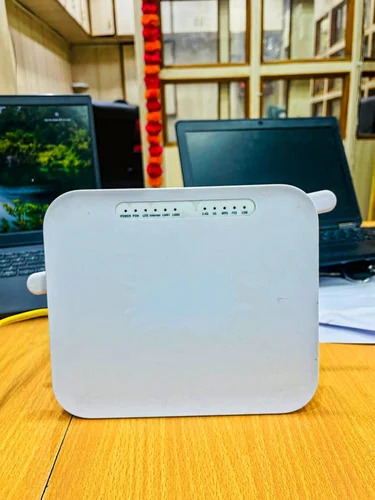
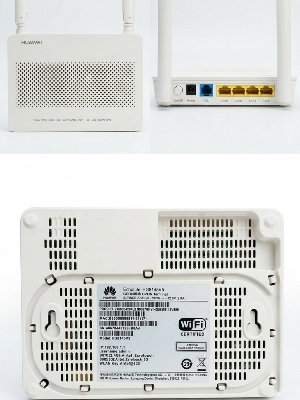
Find unbeatable reliability and flawless performance with the DRAGON XPON DUAL BAND WiFi Router. With reduced energy consumption, this sizzling device supports dual-band WiFi (2.4GHz & 5GHz) and delivers speeds up to 1000 Mbps for both streaming and networking needs. Decorated with LED indicators on the front and equipped with 4 Ethernet ports, it ensures seamless wired and wireless connectivity. Its compact and lightweight design makes it perfect for home and office. Enjoy advanced security and the convenience of remote control via a web interface.
DRAGON XPON DUAL BAND: Ideal for Modern Offices
The DRAGON XPON DUAL BAND router is crafted for both commercial and residential spaces, making it perfect for office environments requiring high-speed, reliable internet. Its advanced dual-band feature supports multiple simultaneous connections, while the compact size is great for modern decor. This machine boasts flawless networking with four LAN ports and robust WiFi support, ensuring seamless streaming, conferencing, and file sharing without interruptions.
Export Markets, Certifications & Shipping Policies
DRAGON XPON DUAL BAND routers are offered to a wide range of global markets and are shipped goods with care from India. We ensure all routers are safely packed and swiftly dispatched. Certified for network safety and quality standards, our products reach customers with complete documentation. Sample policies allow potential clients to request trial units before bulk orders, ensuring satisfaction and confidence in our offerings.
FAQ's of DRAGON XPON DUAL BAND:
Q: How do I set up the DRAGON XPON DUAL BAND WiFi router?
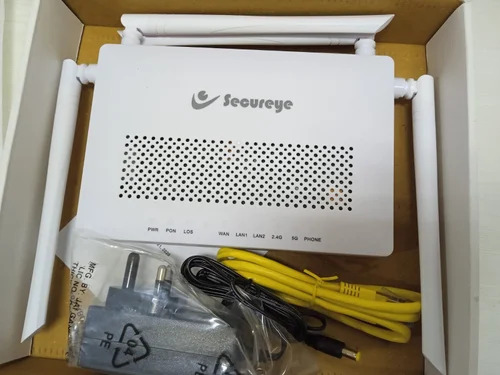
A: Setup is simple: connect the router to your network using the provided Ethernet cables, use the WPS button if available, and follow on-screen instructions through the web interface for configuration.
Q: What is the benefit of dual-band functionality in this router?
A: Dual-band support allows the router to broadcast on both 2.4 GHz and 5 GHz frequencies, reducing interference and providing a faster, more stable internet connection for multiple devices.
Q: When should I use the reset button on my router?
A: Use the reset button if you forget your login credentials or encounter persistent connectivity issues. This restores the router to factory settings, letting you start afresh.
Q: Where can I mount the DRAGON XPON DUAL BAND router for best coverage?
A: Mount the router in a central and elevated location within your home or office, ensuring minimal obstacles for optimal WiFi coverage and signal strength.
Q: What process is used to upgrade the router's firmware?
A: Firmware upgrades are handled via the web user interface, where you can check for the latest version and follow prompts to complete the update securely.
Q: How does the DRAGON XPON DUAL BAND router support both wired and wireless connectivity?
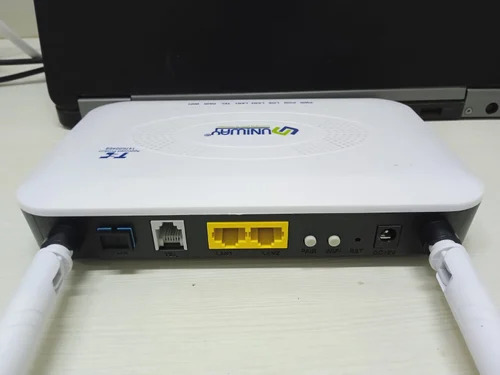
A: The router offers four RJ45 Ethernet ports for wired connections and advanced wireless features, allowing devices to connect either way as needed for flexibility and reliability.





 Send Inquiry


 Send Inquiry
 Send Inquiry
 Send SMS